Invitation Card Maker & RSVP
4.8806.00Reviews
Analysis ByAppCompare
When I need to organize a birthday, wedding, or casual party, the invitation is usually the first thing that turns a vague plan into a real event. That is where Invitation Card Maker & RSVP makes sense. It is an Events app from MIVAN SOFTWARE SOLUTIONS that focuses on creating a polished invitation card and gathering replies in one place, rather than making me design something from scratch and then chase every guest separately.
I approached it as I would for a real gathering: start with a basic idea, build something people would actually want to open, send it to the right guests, and see whether the RSVP process feels easier than the usual mixture of messaging apps, image editors, and spreadsheets. My overall impression is positive, especially for people who want a quick, presentable result without learning a full graphic-design tool. It is free to install, rated for Everyone, and available on devices running Android 7.0 or later. Some in-app items range from $4.99 to $99.99 each, so the free starting point is useful, but I would still check what is included before committing to a particular design workflow.
From a rough event idea to a usable invitation
The strongest way to use this app is to begin with the information guests need, not with decoration. I would first decide the event name, date, time, location, and the kind of response I need. For a birthday, that might simply be attendance. For a wedding or larger party, I may need a clearer headcount and more careful wording. Having those details ready makes the card-building stage faster and prevents the visual design from taking over before the practical information is settled.
The app’s purpose is narrower than a general design suite, and that is a benefit in this situation. Instead of opening a blank canvas and wondering about dimensions, I can think in terms of an invitation. The store presents it as an invitation card maker with RSVP collection, so the useful question is not whether it can replace every design tool, but whether it gets a complete invitation in front of guests with less effort.
I found that distinction important for everyday planning. A person arranging a family celebration usually does not need advanced illustration controls. They need a card that looks intentional, reads clearly on a phone, and gives guests an obvious way to respond. If that describes your event, this app has a practical starting point. If your priority is a highly art-directed visual identity, a dedicated design application will probably give you more control.
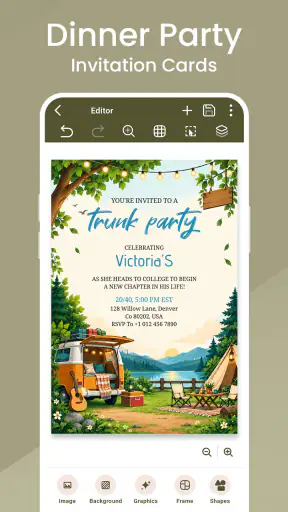
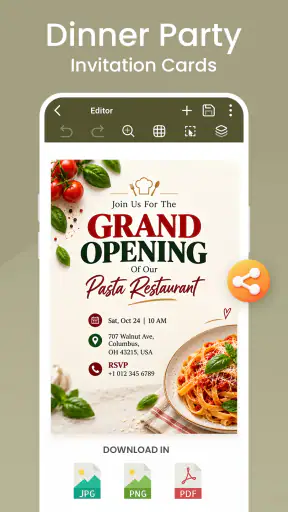
Building the card without losing the message
My advice is to write the essential details before experimenting with the appearance. Keep the event title short, put the date and time where they can be found quickly, and make the location wording specific enough that a guest will not need to ask a second question. Decorative text is tempting, but an invitation is successful when the recipient understands what is happening within a few seconds.
This is also where I would test the card on the same kind of screen my guests are likely to use. A design that looks balanced while editing can feel crowded when viewed as a small phone image. Long names, multiple lines of directions, or an unusually detailed dress code can push the important information into the background. I would shorten the wording before shrinking everything to fit.
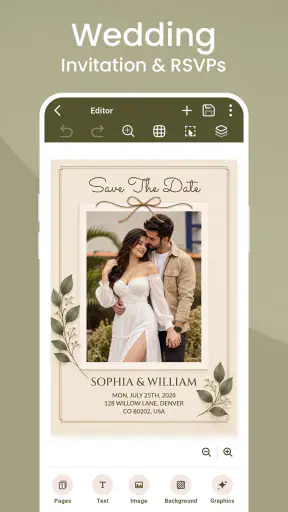
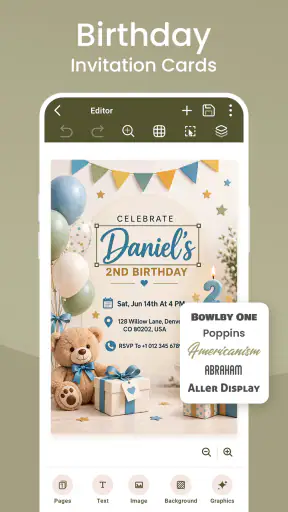
For a wedding, I would treat the invitation as the first handoff between the organizer and the guest. The card needs to communicate the tone of the day, but it also needs to reduce uncertainty. For a child’s birthday, I would put practical details ahead of elaborate wording, especially if parents are the people deciding whether to attend. For a casual party, a lighter design and a direct response request may be enough.
One useful workflow is to make the invitation before finalizing the guest message. The card becomes a visual check on the event itself: if the date, time, location, and response request cannot fit comfortably, the plan may need simplifying. That is a small but valuable insight. The app is not just a place to decorate information; it can expose confusing event details before they reach guests.
Using RSVP collection as part of the plan
The RSVP side matters because an invitation without a response system leaves the organizer doing the repetitive work. I would decide in advance what counts as a useful reply. Do I only need a yes or no? Do I need a headcount? Do I need guests to tell me anything else in their response? The simpler the request, the more likely people are to complete it.
For a small birthday, I would avoid asking for information that does not affect the plan. A straightforward attendance response is easier for a busy parent than a long form. For a wedding or larger party, the value is more obvious: a central response process can help me estimate seating, food, or supplies without copying replies from several conversations.
This is one of the app’s more practical strengths compared with sending a finished image through ordinary messaging. A picture shared in a group chat can look attractive, but replies quickly become scattered. Some guests answer directly, some react with an emoji, and others tell the organizer privately. A dedicated RSVP flow gives the invitation a job beyond presentation: it becomes part of the attendance record.
There is a trade-off, though. A separate response step can feel less natural to guests who are accustomed to replying in the same chat where they received the invitation. I would explain the process clearly in the message that accompanies the card, rather than assuming everyone will understand what to do. The smoother the handoff, the more useful the collection feature becomes.
Sending the invitation and managing the handoff
The design stage is only half the workflow. The next step is deciding who receives the card, when it should arrive, and what context should accompany it. I would not send only a graphic with no explanation. A short personal note can say why the guest is receiving it, what kind of response is wanted, and whether they should contact me about anything unusual.
This matters particularly when the guest list includes different age groups or people who are not comfortable with new tools. A friend may understand the RSVP request immediately, while an older relative may prefer a direct message or a phone call. The app can organize the invitation process, but it cannot remove every social handoff. I would use the card as the consistent source of event details and keep another communication route available for guests who need help.
For a workplace gathering or a large family event, I would also separate the invitation audience from the people helping with logistics. The person designing the card may not be the person buying food or checking the venue. A clean RSVP process is most useful when the organizer decides how responses will be reviewed and shared. Even a simple written routine—checking replies at a set time and recording changes—can prevent last-minute confusion.
My practical tip is to send a test to myself before distributing it widely. I would read it as a guest, not as the person who created it. Is the event type obvious? Can I find the essential details without zooming? Is the RSVP request clear? Does the invitation still make sense when separated from the conversation in which it was created? These checks catch problems that are easy to miss while editing.
What the finished result is good at
The result I would expect from this app is a more coherent invitation workflow: one designed card, a clearer request for attendance, and less dependence on manually counting scattered messages. That is a meaningful improvement for ordinary events, even if it does not replace every planning tool.
Its audience is broad because the use cases are familiar. Someone planning a birthday can create something more personal than a plain text announcement. Someone preparing a wedding can establish a consistent first impression and use responses to support planning. Someone arranging a party can avoid sending a bare location and hoping guests remember the details later.
The app also benefits from being approachable. Its current version is 1.3.4, and its Android compatibility reaches back to version 7.0, which makes it relevant to people who are not using the newest phones. With more than a million installs and an average rating of 4.8 from roughly twenty-three thousand ratings, it has clearly attracted a substantial audience. Those figures do not replace personal testing, but they do suggest that the basic invitation-making idea resonates with many users.
I would still judge the result by clarity rather than by how elaborate the card looks. A restrained invitation with readable details is more useful than an impressive design that forces guests to search for the time or location. My favorite outcome from this kind of workflow is not necessarily the most decorative card; it is the one that reduces follow-up questions.
Where the workflow becomes less comfortable
The first limitation is that a focused invitation app may feel restrictive to someone who wants complete design freedom. If I need custom branding, complex layouts, detailed photo editing, or a visual system shared across several event materials, I would probably start in a dedicated design app. That alternative takes more effort, but it gives me greater control over every visual element.
The second issue is the balance between free access and paid extras. The app is free, which makes it easy to try, but in-app purchases are listed from $4.99 to $99.99 per item. That is a wide range, and it means I would inspect the available choices before building an event around a particular premium-looking style. I would also avoid assuming that every attractive element belongs to the free experience.
Another point of friction is guest behavior. RSVP collection only helps when people respond. A tool can centralize replies, but it cannot make an unresponsive guest confirm attendance. For a small gathering, I would still follow up personally with the few people whose answer affects food or seating. For a large event, I would set a response deadline in the accompanying message and keep a simple backup list.
There is also a social trade-off between convenience and warmth. A carefully made card can feel personal, but a fully standardized invitation may feel distant for a close family occasion. I would add a brief personal message rather than relying on the card alone. For a wedding, I might use the app for the main invitation and keep sensitive or complicated arrangements in a direct conversation.
People who should skip this app are those looking for a complete event-management platform, a collaborative planning workspace, or advanced print-production controls. It is better suited to the invitation and response part of the process. If your event requires seating charts, vendor coordination, budgeting, or extensive guest segmentation, you will likely need other tools alongside it.
Small habits that make the app more effective
My first habit would be to create the wording separately and proofread it before styling the card. This prevents a visually attractive draft from hiding a missing apartment number, incorrect time, or unclear response instruction. It also makes later revisions less frustrating because I am changing content deliberately rather than improvising inside the design.
My second habit would be to prepare two communication versions: one short message for people who already know the event context and one slightly fuller message for guests who need more guidance. The card can stay consistent while the handoff adapts to the recipient. That is especially useful when a guest list includes close friends, relatives, and acquaintances with different expectations.
My third habit would be to use the RSVP result as a planning checkpoint, not just a final number. Early responses can reveal whether the date is confusing, whether the location needs clearer directions, or whether guests are asking the same question repeatedly. If several people misunderstand the same detail, I would revise the message or card rather than answering individually every time.
A fourth useful approach is to treat the invitation as a versioned document. If the venue or time changes, I would make the correction obvious in the new message and avoid leaving guests to compare old and new images. The app helps create the invitation, but the organizer still needs to manage changes responsibly. That handoff is where many event plans become messy.
Who will appreciate it most
I think this app is a strong match for someone who wants a presentable invitation quickly and does not want to learn professional design software. It is also useful for an organizer who has been losing track of replies across private messages and group chats. The combination of card creation and RSVP collection addresses both the visible and administrative sides of a small event.
It is less compelling for a person who already has a reliable design workflow and only needs to send a simple announcement. In that case, a normal messaging app may be faster. It is also not the right first choice for someone whose event depends on highly customized forms or complicated guest rules. The more unusual the response process, the more likely a specialized event platform will serve you better.
Families may find the app especially practical because invitations often need to work for both adults and children’s events. A birthday organizer can keep the card friendly while making the RSVP request useful to parents. For a wedding, the app can provide a consistent first step, although I would not expect it alone to handle every detail of a formal guest-management process.
My recommendation after following the full workflow
After taking the process from an initial event idea through card creation, guest handoff, and response tracking, I see Invitation Card Maker & RSVP as a focused and approachable solution rather than an all-purpose event planner. Its real value is the connection between appearance and action: the invitation looks more deliberate than a plain message, and the RSVP step gives the organizer a clearer way to judge attendance.
I would recommend trying it for birthdays, family celebrations, informal parties, and other events where a well-presented invitation and a manageable response list are the main needs. I would be more cautious for formal occasions requiring advanced guest rules, extensive collaboration, or precise print control. In those cases, another tool may be worth the extra setup.
The best results will come from keeping the wording simple, testing the card as a guest would see it, explaining the RSVP handoff, and maintaining a backup way to reach people who do not respond. Used with those habits, the app can remove a surprising amount of small event-planning friction. It does not do the organizing for me, but it gives the invitation a clearer purpose—and that is enough to make it genuinely useful for the right kind of gathering.
FAQ
What is Invitation Card Maker & RSVP used for?
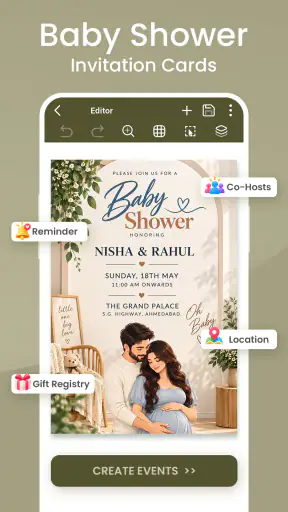
Invitation Card Maker & RSVP is designed to help you create and share digital invitations for events such as birthdays, weddings, baby showers, parties, dinners, and business gatherings. You can usually choose a template, customize the text and design, add event details, and send the finished invitation through messaging apps, email, or social networks. Its RSVP features can also help you track which guests have responded.
Can I customize the invitations with my own event details and design?
Yes, the app is intended to provide more than ready-made invitation templates. During testing, the main editing tools allowed users to adjust information such as the event title, date, time, venue, host name, and RSVP instructions. Depending on the selected template, you may also be able to change colors, fonts, images, backgrounds, and layout elements, although some premium designs or advanced editing options may require payment.
How does the RSVP feature work for guests and hosts?
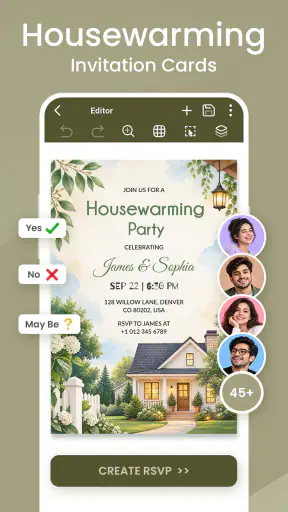
After creating an invitation, you can share it with your guests using a generated link, image, or message, depending on the available sharing options. Guests can generally indicate whether they will attend, decline, or sometimes respond with a tentative answer. The organizer can then review responses in one place, making it easier to estimate attendance and plan food, seating, or other event requirements.
Is Invitation Card Maker & RSVP free to download and use?
The application may be free to download, but free access does not necessarily include every template, design element, or RSVP management feature. Some content may be supported by advertisements, while premium tools can be offered through in-app purchases or a subscription. Before completing an invitation, check the pricing details shown in the app store and review whether any trial period automatically renews.
Can I send invitations directly from the app, and do guests need to install it?
The app generally supports sharing invitations through common services such as WhatsApp, Messenger, email, text messages, or social media, depending on your device and installed applications. In many cases, guests can view the invitation and submit an RSVP through a shared link without installing the app themselves. However, certain interactive features may work best when recipients open the invitation in a compatible browser.
Pros
- Simple templates make invitation design quick for beginners.
- RSVP tracking helps organize guest responses in one place.
- Supports multiple event types
- from birthdays to weddings.
- Easy sharing through popular messaging and social platforms.
- Customizable colors
- fonts
- images
- and event details.
Cons
- Some premium templates and tools may require a subscription.
- Advanced design controls can feel limited for experienced users.
- Free versions may include ads or branding on invitations.
- Large image uploads can affect editing speed on older devices.
- Guests may need a separate link or app access to respond.